


How To


Navigation
Navigation. Navigating the site is very easy and smooth. To choose products, press the "store" button, it will take you to the sales sector. To get discount codes/coupons, follow us on Instagram, Facebook or press the "announcements/news" button. To return to the beginning, simply press the "Home" button. You can also search for products through the browser. The browser is the button written "Search...". And to access your cart, press the button with a cart symbol.

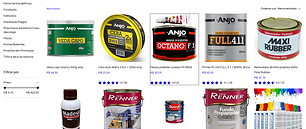
Store and products
Store and products. To buy a product while using an account, simply access the "store" tab, find the product you are looking for, click on it with your mouse, which will take you to the product page. There you can choose size, color, quantity, etc. After choosing the options, just press add affection. After that, to finalize your purchase, press "checkout" and fill in the information. You can also filter the products you want using the manager on the left.

Enjoy!
Enjoy! Now that you know how to navigate our website, you will do it EASILY. Have a good experience.


